Chapter 4: Tokenization
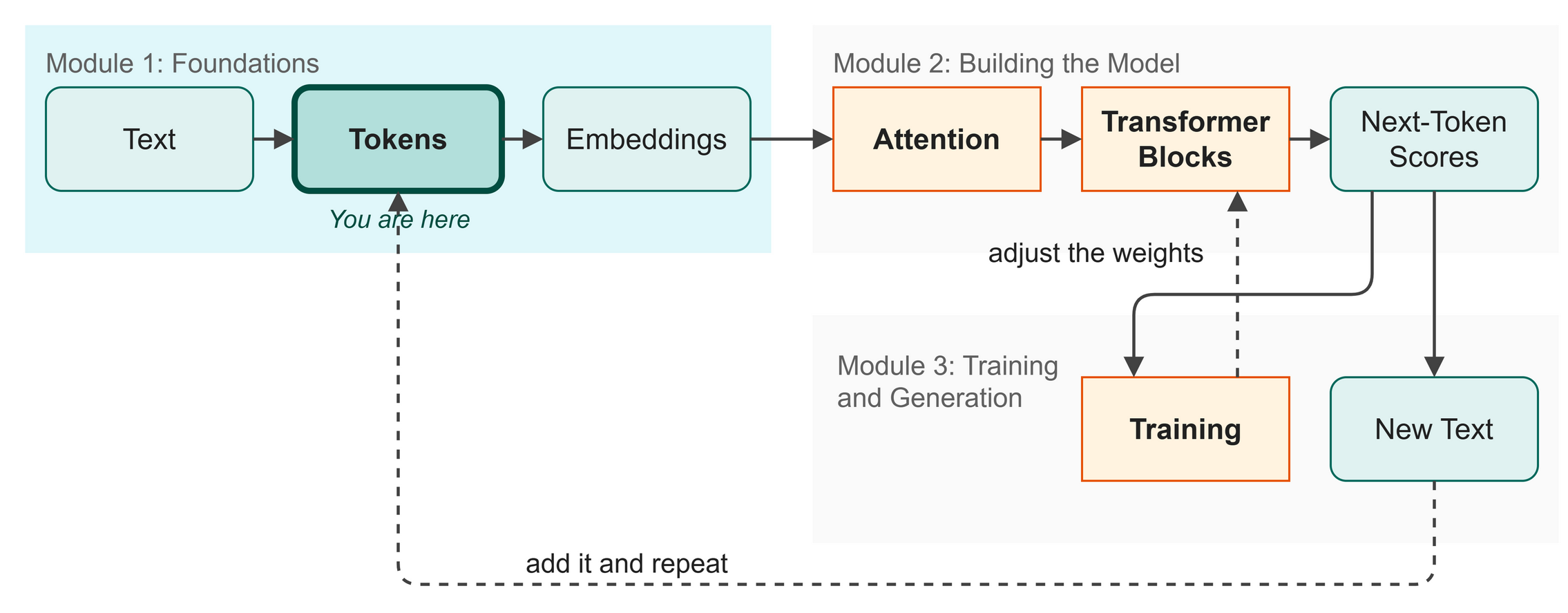 Figure 4.1: Tokenization in the big picture.
The previous chapter gave us tensors to hold our data, which brings us to the next stage in our map (Figure 4.1). Before a language model can find patterns in text, we must translate that text into a format it can understand. Neural networks only do math, which means they only eat numbers. In this chapter, we build our tokenizer, a translator that chops text into small pieces and assigns a number to each one.
In this chapter you will:
- Understand why neural networks need numbers
- Build a character-level vocabulary from the Shakespeare dataset
- Write functions to encode text into integers and decode it back
- Prepare the data for training by splitting it into two sets
Words to Know
- Token: one small piece of text, here a single character.
- Tokenizer: a translator that cuts text into tokens and gives each token a number.
Theory
Neural Networks Are Number Machines
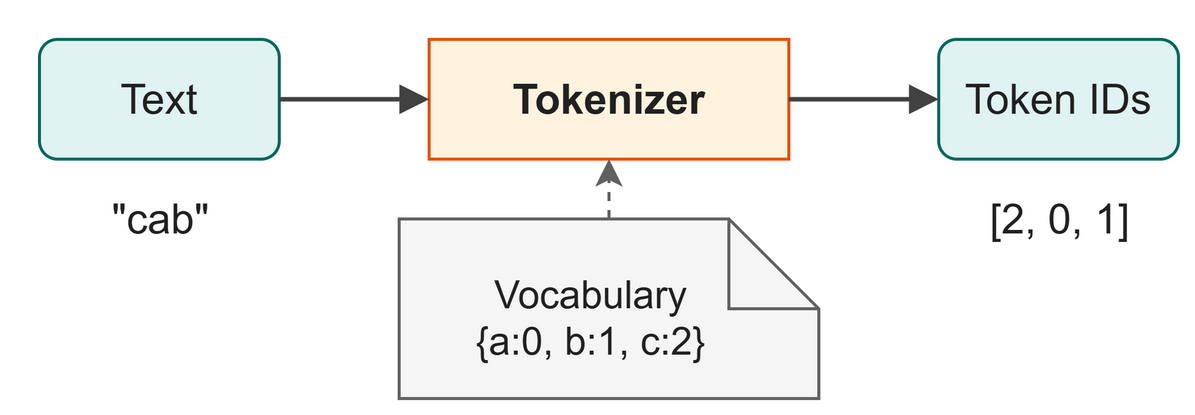 Figure 4.2: A tokenizer turns each character into a number.
Neural networks cannot read. You cannot feed them a string like "Hello", because they expect a grid of numbers to multiply and add. To feed text into a model, we must first convert it into numbers, a process called tokenization (Figure 4.2).
We need a consistent rulebook. If the letter a is the number 0, it must always be 0. We call this rulebook our vocabulary.
The Simplest Tokenizer
There are many ways to tokenize text. You could map each full word to a number (word-level), or you could group common letters like th together (subword-level).
For our model, we use the simplest approach, character-level tokenization, in which every unique character in our dataset gets its own unique integer.
If our vocabulary is {a: 0, b: 1, c: 2}, then the word "cab" becomes [2, 0, 1].
The Shakespeare dataset contains exactly 65 unique characters, which include uppercase letters, lowercase letters, spaces, a newline, punctuation and one digit. If we give each one an ID from 0 to 64, we can translate any Shakespearean sentence into a list of integers.
In Business
When you build an assistant to draft text in your company's house style, tokenization choices matter. A character-level tokenizer is simple but makes sequences long, while a word-level tokenizer makes sequences short but requires a massive vocabulary. Modern business assistants use Byte-Pair Encoding (BPE), a middle ground that groups common character sequences into single tokens. We use character-level here because it keeps the math clean while our model learns from its archive (our Shakespeare dataset).
The Training and Validation Split
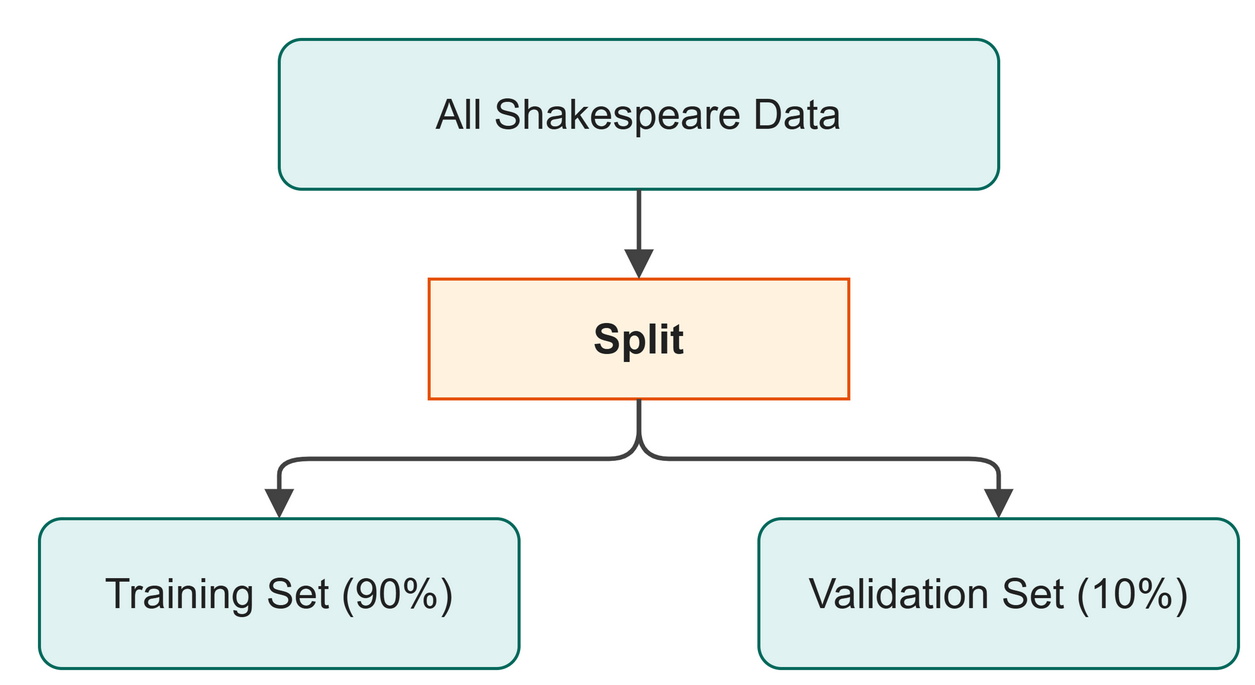 Figure 4.3: Hiding part of the data lets us test whether the model learned.
Once we encode all of Shakespeare into one massive list of numbers, we split it into two piles (Figure 4.3):
- Training set (90%): The data the model studies to learn patterns.
- Validation set (10%): The data we hide from the model, used to test it later.
Why hide data? We want to know if the model is picking up patterns that hold across the text, or only memorizing the passages it was shown. If it does well on the training set but badly on the validation set, it has memorized the training text, which is called overfitting.
Watch Out
Our tokenizer only knows the characters it saw in the training data. If you feed it a digit (like 1 or 2), an emoji, or a Chinese character, Python will raise a KeyError because that character is not in our 65-character vocabulary.
Code
We write our tokenizer in Python, load the dataset, and encode it.
File:
src/ch03_tokenizer.pyRun it:python src/ch03_tokenizer.py
| src/ch03_tokenizer.py (excerpt) | |
|---|---|
The code does three things:
- Line 3 uses
set(text)to find every unique character in the entire text. - Line 3 uses
sorted()to put them in alphabetical order so the IDs stay consistent. - Lines 6 and 7 build two lookup tables, which Python calls dictionaries: one to go from character to ID (
char_to_id), and one to go back (id_to_char).
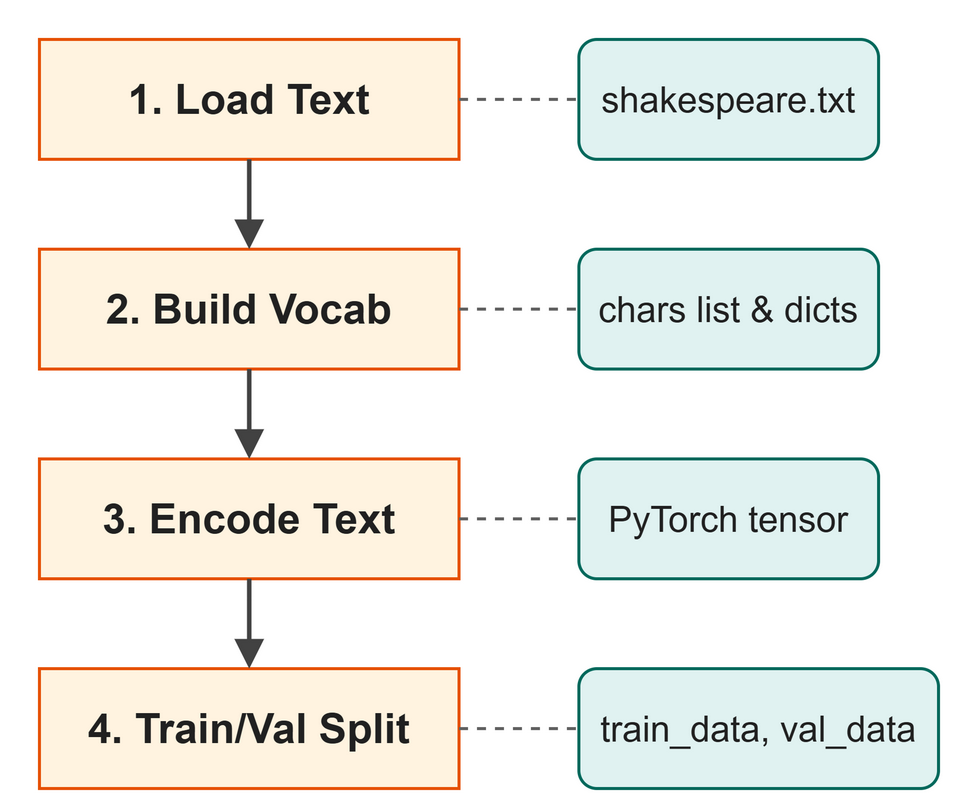 Figure 4.4: How the tokenizer processes the dataset.
The script processes the dataset step by step (Figure 4.4). Next, we write the translation functions:
| src/ch03_tokenizer.py (excerpt) | |
|---|---|
Line 3 converts a string (a piece of text) into a list of whole-number IDs, and line 7 converts them back into text.
Now we run the script to see what our 65 characters look like and to test a quick round-trip.
$ python src/ch03_tokenizer.py
 !$&',-.3:;?ABCDEFGHIJKLMNOPQRSTUVWXYZabcdefghijklmnopqrstuvwxyz
...
--- Testing encode / decode ---
Original : 'Hello, World!'
Encoded  : [20, 43, 50, 50, 53, 6, 1, 35, 53, 56, 50, 42, 2]
Decoded  : 'Hello, World!'
Round-trip matches: True

--- Encoding the full dataset ---
What just happened:
- The script loaded over a million characters from the dataset.
- It found exactly 65 unique characters. Notice the space and newline characters at the start.
- It translated the string "Hello, World!" into a list of integers.
- It translated those integers back to prove no data was lost.
Finally, we encode the entire dataset into a PyTorch tensor and split it.
Training tokens  : 1,003,854
Validation tokens: 111,540

Tokenizer ready! Ready for Chapter 5.
Try It
See how different inputs are converted into numbers. We wrote a short script that imports our tokenizer and encodes a few business phrases.
Try It
Open the terminal and run the example script. Notice how every letter, space, and punctuation mark is assigned a specific number from our vocabulary.
Key Takeaways
- Neural networks process numbers, not text.
- Tokenization translates text into numbers using a fixed vocabulary.
- We use a character-level tokenizer with a vocabulary of 65 characters.
encode()turns strings into lists of IDs, anddecode()turns IDs back into strings.- We split our data into a training set (to learn) and a validation set (to test).
Check Your Understanding
- Why must we convert text to numbers before feeding it to a language model?
- In our character-level tokenizer, what happens if we try to encode a character that wasn't in the training data?
- What is the purpose of the validation set?
- How many unique characters are in our vocabulary?
Assignment
Assignment 4: Same word, new numbers
About 15 minutes. You change one word and write no new code. Work in this chapter's Colab notebook or on your own laptop.
- Run it. Run
src/examples/ch04_tokenizer_demo.pyas it is. Copy the three rows it prints, each a phrase and its list of numbers. - Change one word. Find the line
"URGENT!",. It is one of the three phrases the script turns into numbers. ChangeURGENTtourgent, in small letters, and keep everything else on the line, so it reads"urgent!",. Run the script again. - Compare. Which numbers in the second row changed? Which one stayed the same, and which character does it stand for? Two numbers in your new row also appear in the
invoicerow. Which two letters do they stand for? - Explain it. In two or three sentences a manager could follow, say why the model sees
URGENT!andurgent!as different text when a person reads the same word.
Hand in: both sets of three rows, your answers to step 3, and your sentences.
Further Reading
Why real models do not use a character vocabulary. Chapter 4 gives every character its own token, which keeps the vocabulary tiny and the code short. Production models split text into word pieces instead: common words stay whole, rare ones break into parts, and nothing is ever unknown. This paper is the method, and it is still the basis of the tokenizers shipped with today's models.
Sennrich, R., Haddow, B., & Birch, A. (2015). Neural machine translation of rare words with subword units (arXiv:1508.07909). arXiv. https://doi.org/10.48550/arXiv.1508.07909
Next up: Chapter 5: Embeddings