Chapter 11: Causal Language Modeling
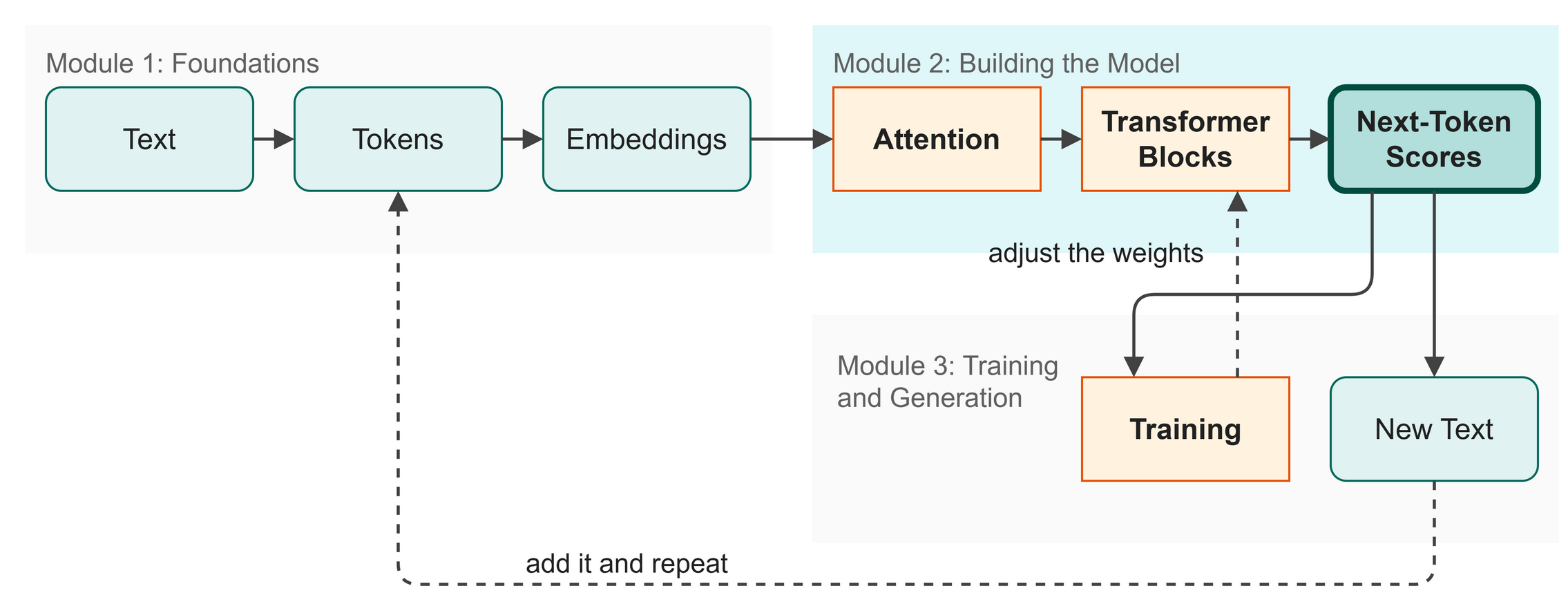 Figure 11.1: The model is built. Now we define its goal: predicting the next token.
We assembled the full Transformer architecture in Chapter 10, so our engine is built, but an engine is useless without a task (Figure 11.1). In this chapter, we give our model its objective, causal language modeling, which means guessing the next token based only on what came before it. We will also learn how to measure its performance.
In this chapter you will:
- Shift the training sequence to create input and target pairs.
- Understand cross-entropy loss as a measure of surprise.
- See how generation is a loop of predicting and appending.
Words to Know
- Logits: The raw scores the model outputs before they are turned into probabilities.
- Softmax: A mathematical function that squashes a list of any numbers into positive percentages that add up to 100%.
- Cross-Entropy Loss: A mathematical way to measure how wrong the model's predictions are. Lower is better.
- Autoregressive: A process that uses its own past outputs as inputs for its next step.
Theory
The Training Trick: One Pass, Many Examples
How do we train a model to predict the next token? You might think we feed it one token, ask for the next, check the answer, and then feed it two tokens, but that would be far too slow.
The insight of causal language modeling is that a single pass over a sequence of length T gives us T training examples all at once.
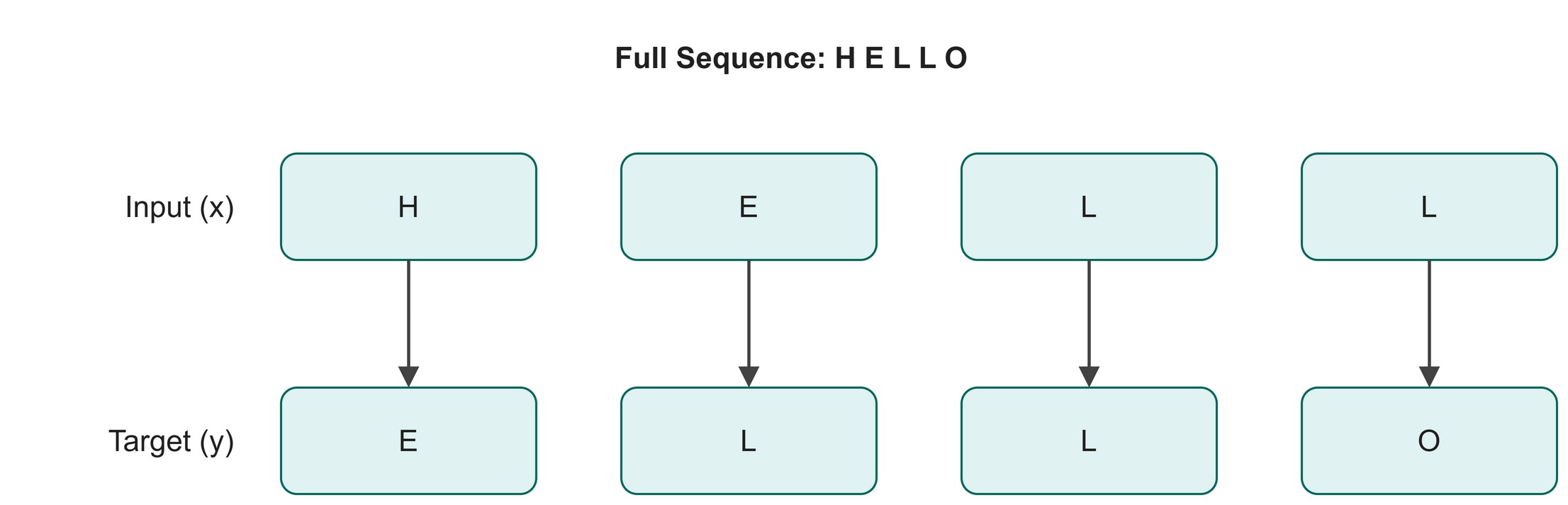 Figure 11.2: One sequence provides multiple training examples simultaneously.
The model processes the whole sequence (Figure 11.2). Because of the causal mask (from Chapter 6), position 2 cannot see position 3, and each position only sees what came before it. Therefore, at every position, the model can make a valid prediction about what comes next.
Input and Target: The Shifted Pair
To implement this efficiently, we take our sequence of text and create two slightly different copies:
- Input (
x): The sequence missing its last token. - Target (
y): The sequence missing its first token.
This means that the character at each position i of the input, $x[i]$, is supposed to predict the character at the same position of the target, $y[i]$. If our sequence is "HELLO", x is "HELL" and y is "ELLO". At position 0, "H" predicts "E". At position 1, "E" (with "H" as context) predicts "L", and so on.
Logits and Probabilities
When our model makes predictions, it does not immediately output a single character or a clean percentage. It outputs raw numbers called logits.
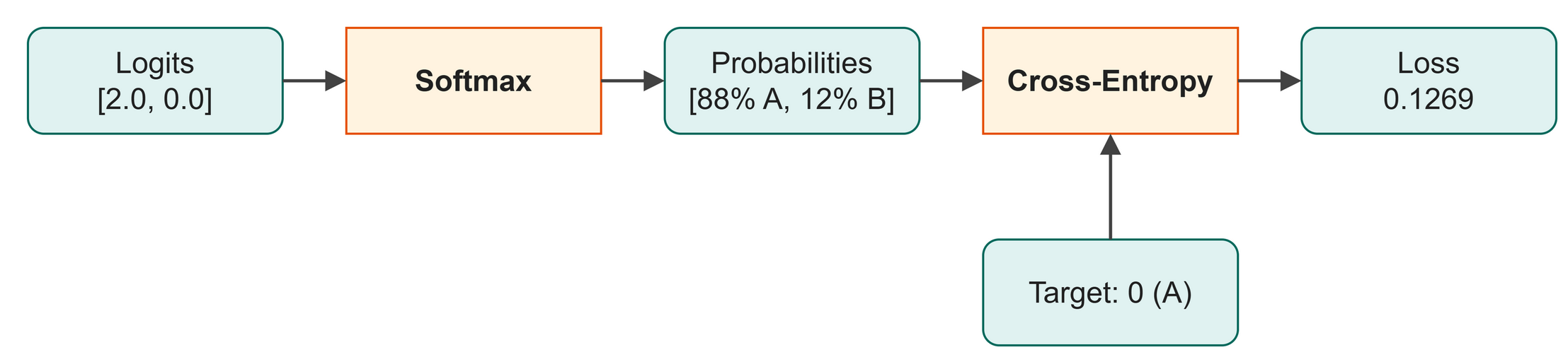 Figure 11.3: Softmax converts raw scores into valid percentages.
Logits can be any number: negative, positive, small, or large. To make sense of them, we pass them through a function called softmax (Figure 11.3). Softmax squashes all the logits so they are positive and sum to exactly 1.0 (or 100%), which gives us a probability distribution over our 65 possible characters.
Measuring Success: Cross-Entropy Loss
Once we have probabilities, we need to know how well the model is doing, and for that we use a metric called cross-entropy loss.
Think of loss as a measure of the model's surprise. If the correct next character is "A", and the model assigned a 99% probability to "A", it is not surprised at all, so the loss is low. If it assigned a 1% probability to "A", it is highly surprised, so the loss is high.
If a model is completely untrained and guessing blindly among our 65 characters, it will assign roughly equal probability (about 1.5%) to each. The mathematical loss for this complete ignorance is about 4.17, and we want our training process to push this number down.
We have reached the end of the "Next-Token Scores" stage on our map. Our model now makes predictions and measures its own mistakes, so it is ready to learn.
Code
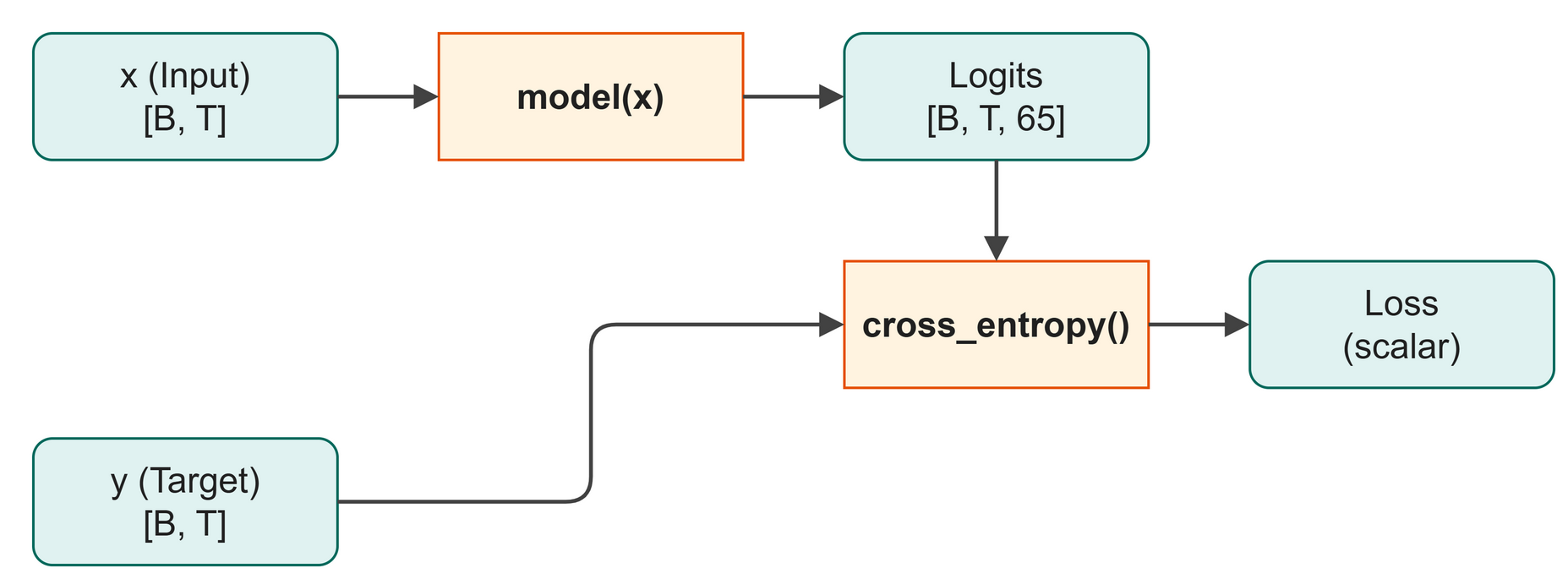 Figure 11.4: The model produces logits for the input, which are compared to the target to calculate loss.
The code below implements this (Figure 11.4).
| src/ch10_causal_lm.py (excerpt) | |
|---|---|
And how to run the full script:
$ python src/ch10_causal_lm.py
--- 1. Constructing input/target pairs ---
Sequence: [20, 17, 30, 30, 33, 1, 35, 53, 56, 30]
Input  x: [20, 17, 30, 30, 33, 1, 35, 53, 56]
Target y: [17, 30, 30, 33, 1, 35, 53, 56, 30]
At each position i, x[i] predicts y[i].

--- 2. Computing cross-entropy loss ---
Logits shape : torch.Size([4, 20, 65])
Targets shape: torch.Size([4, 20])
Loss (random model): 4.3070
Expected loss for random: 4.1744

--- 3. Text generation ---
We extend a starting sequence one token at a time.

Generated IDs (first 10): [0, 54, 34, 5, 55, 18, 63, 52, 43, 10]
Output shape: torch.Size([1, 51])
After training (Chapter 13), this will produce real text!
What just happened:
- Lines 1 and 2 slice a short sequence of 10 tokens into an input
xof length 9 and a targetyof length 9 to demonstrate input/target pairs. - Line 4 passes a random batch of 4 sequences, 20 tokens each, into the untrained model to get logits for the loss computation step.
- Lines 7 to 10 calculate the cross-entropy loss, which is 4.3070, close to our expected random guessing loss of 4.1744.
- The output shows we generated 50 tokens. The machinery works, but the weights are still random, so the characters are too.
Shape Check:
The shapes below are from the loss computation step, which uses 4 sequences of 20 tokens each, unlike the single 10-token sequence used earlier. Table 11.1 lists the shapes at each step.
Table 11.1: Tensor shapes for the cross-entropy loss calculation.
| Variable | Shape | Meaning |
|---|---|---|
token_ids |
[4, 20] |
A batch of 4 sequences, 20 tokens each. |
logits |
[4, 20, 65] |
A score for each of the 65 possible next characters, at every position. |
loss |
[] |
A single number, the average surprise. |
Try It
To see how confidence affects the loss, we can simulate different prediction scenarios manually.
Lines 14 and 15 calculate the loss when the model is confident and correct, resulting in a much lower loss.
$ python src/examples/ch11_loss_demo.py
Scenario 1: Guessing blindly (50% / 50%)
Loss: 0.6931

Scenario 2: Confident and right (88% for 'A')
Loss: 0.1269

Scenario 3: Confident and wrong (88% for 'B')
Loss: 2.1269
Try It
Open src/examples/ch11_loss_demo.py and change logits_right to [[5.0, 0.0]] to make the model even more confident. Run the script and see how close to zero the loss gets.
In Business
If you are building an assistant to draft text in your company's house style, causal language modeling is how the assistant learns to write like you. By reviewing thousands of past emails and reports (the target sequences), it learns which words typically follow other words in your organization's specific context. The loss tells you how close its drafts are to your historical data.
Watch Out
When calculating cross-entropy loss in PyTorch, the F.cross_entropy function expects the logits to be flattened. It wants one row of scores for every token, a 2D table of shape [Total Tokens, Vocabulary Size], not the model's 3D stack of tables [Batch, Time, Vocabulary Size]. That is why the code uses logits.view(B * T_len, config.vocab_size). Forgetting to reshape is a common bug.
Key Takeaways
- A single forward pass on a sequence of length
TprovidesTseparate training examples, which makes training efficient. - The target sequence is the input sequence shifted one position into the future.
- The model outputs raw logits, which softmax converts into probabilities.
- Cross-entropy loss measures how "surprised" the model is by the correct answer. We want this number to be as low as possible.
- An untrained model guessing among 65 characters will have a loss of approximately 4.17.
Check Your Understanding
- If your sequence is "DATA", what is the input sequence
xand the target sequencey? - Why do we need softmax before we can interpret the model's output as percentages?
- If a model is perfectly confident and perfectly correct, what should its cross-entropy loss be?
Assignment
Assignment 11: One number, two lists
About 15 minutes. You change one number and write no new code. Work in this chapter's Colab notebook or on your own laptop.
- Run it. Run
src/ch10_causal_lm.pyas it is. Copy the first three lines of numbers it prints:Sequence,Input xandTarget y. - Change one number. Find the line
example_ids = torch.tensor([20, 17, 30, 30, 33, 1, 35, 53, 56, 30]). These ten numbers are the token IDs of one short sequence. Change the1in the middle to50and run the script again. - Compare. Your new number shows up in
Input xand inTarget y. Is it in the same place in both lists? Which number ofInput xsits directly above your new number inTarget y? Which end of the sequence is missing fromInput x, and which end is missing fromTarget y? - Explain it. In two or three sentences a manager could follow, say how a single piece of text supplies both the questions and the correct answers for training.
Hand in: both sets of three lines, your answers to step 3, and your sentences.
Further Reading
Train once, reuse everywhere. Labeled examples are expensive, and every new task used to need its own pile of them. BERT trained one Transformer on ordinary text by hiding words and asking it to fill the blanks, then adapted that single model to many tasks with a small amount of labeled data each. It reads in both directions at once, which is exactly what the causal mask in Chapter 11 forbids: masking is what separates a model that fills blanks from one that writes forward.
Devlin, J., Chang, M.-W., Lee, K., & Toutanova, K. (2018). BERT: Pre-training of deep bidirectional transformers for language understanding (arXiv:1810.04805). arXiv. https://doi.org/10.48550/arXiv.1810.04805
Next up: Chapter 12: Dataset and DataLoader